Your driving school,
zero friction.
Run your driving school without the admin overhead. Online booking fills your schedule automatically, lesson feedback lands in students' apps the moment you send it, and every student's history is at your fingertips when you need it. Teaching aids and mock test tools all in one place.
No more
phone tag.
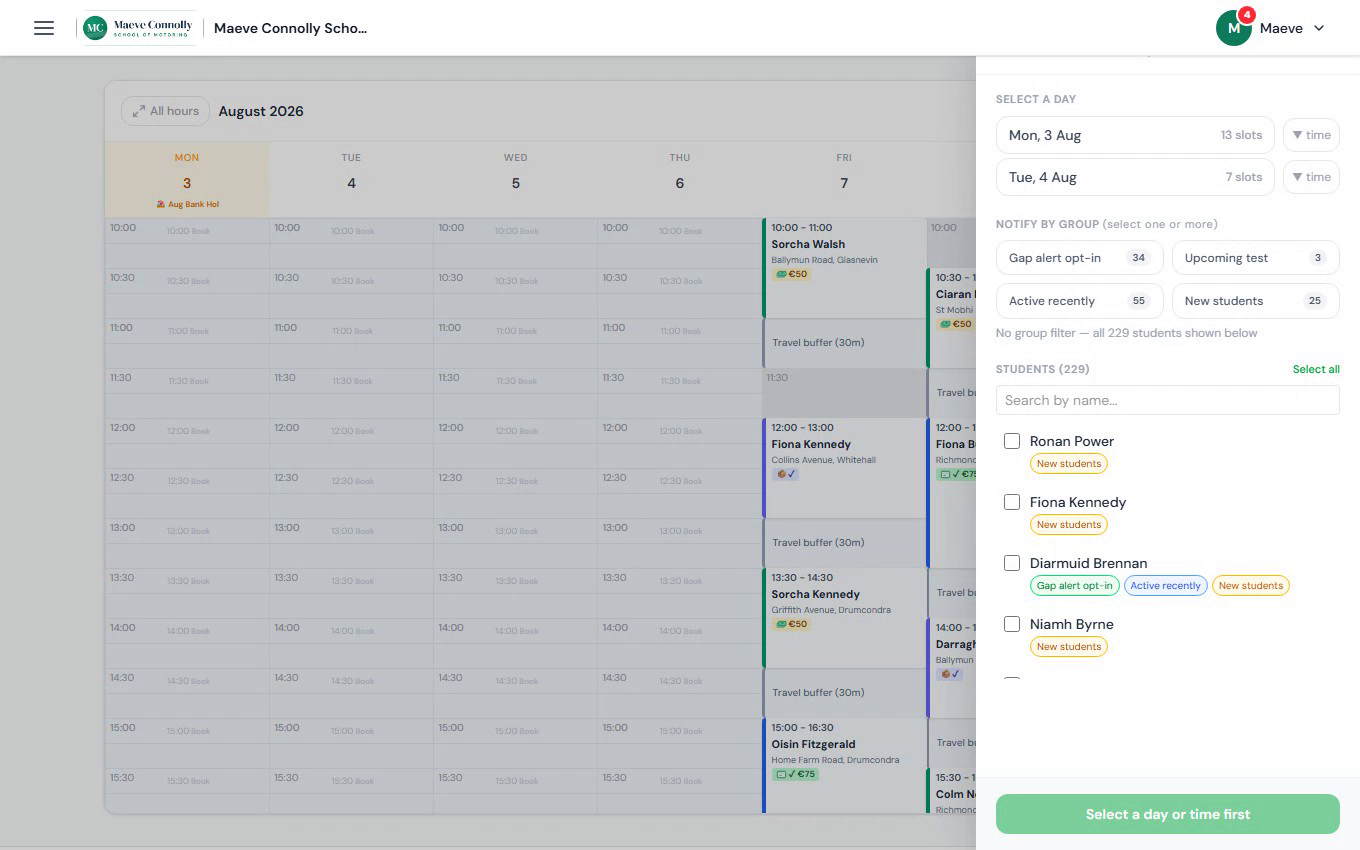
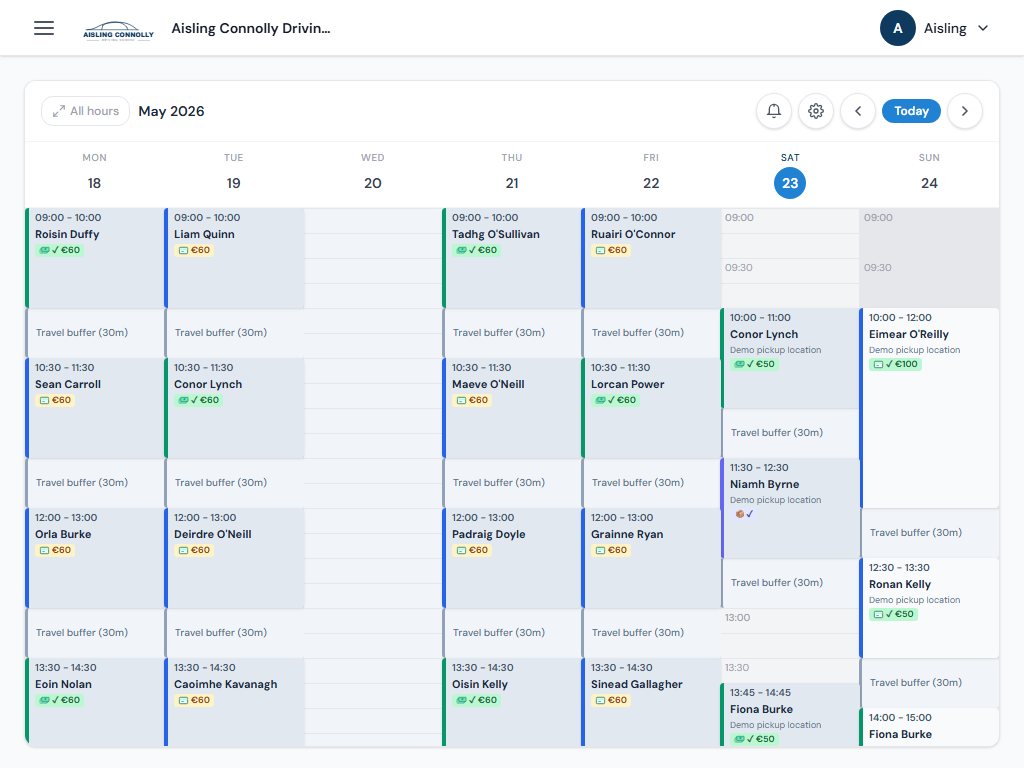
Students book directly from your branded page and lessons land in your calendar automatically. No phone tag, no double-bookings. Spot a free slot during the week and ping your waiting list in seconds.
- Students book online 24/7 - lessons land in your calendar automatically
- Full week view shows lessons, travel buffers, and open slots at a glance
- Fill a gap - spot a free slot and notify waiting students in one tap
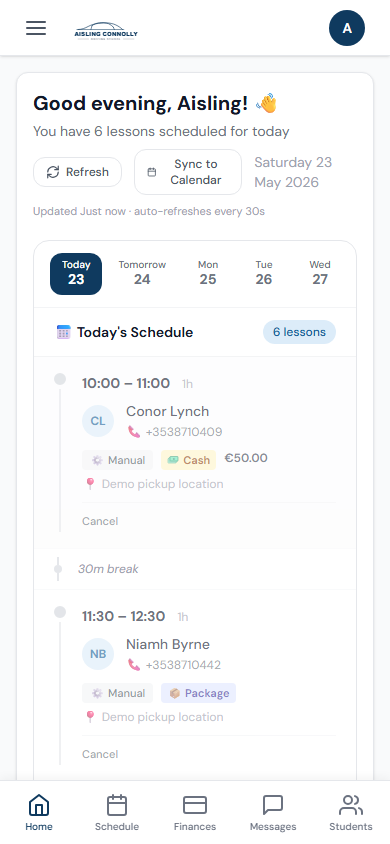
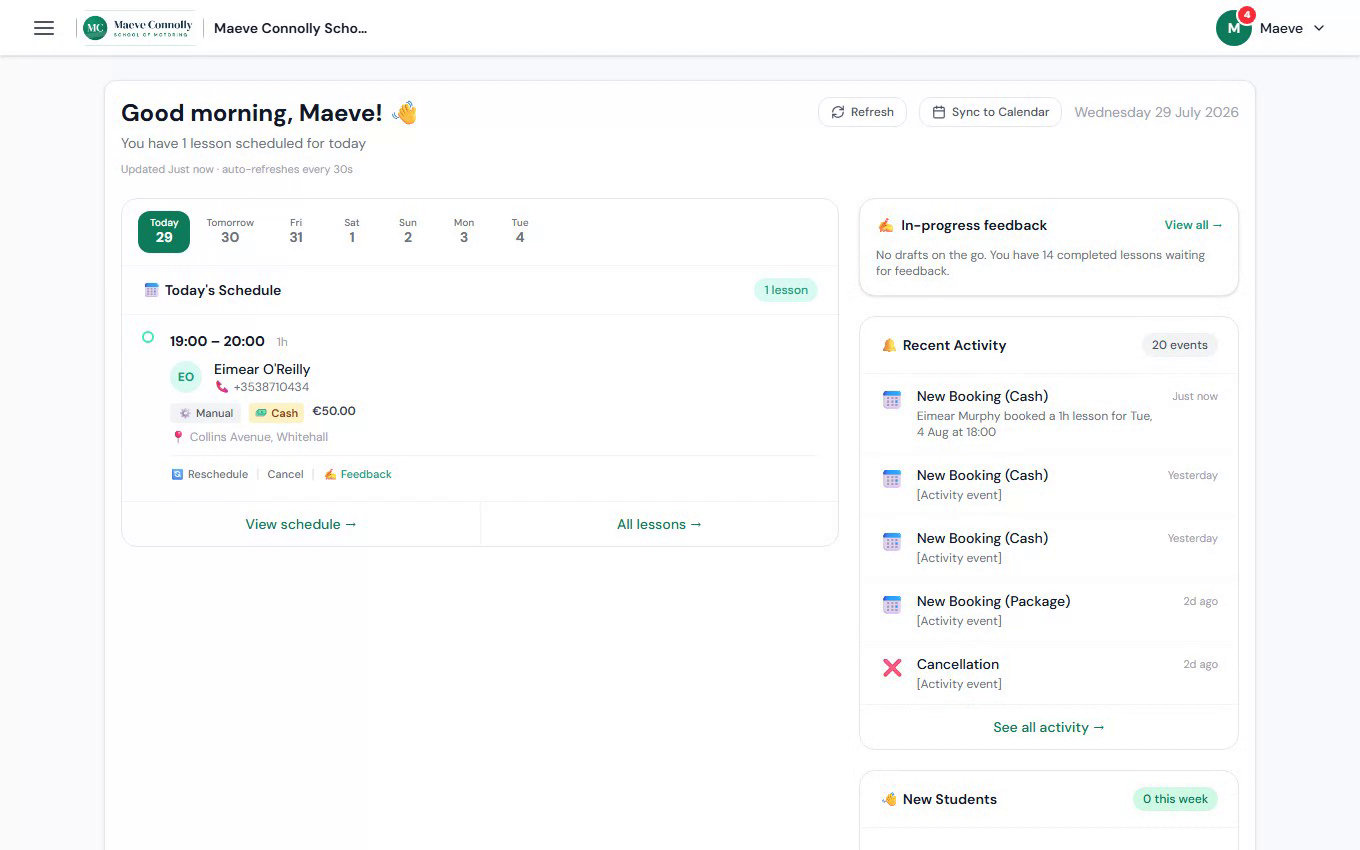
- Dashboard shows today's schedule, recent bookings, and new signups
Students see your school,
not ours.
Every student-facing part of the app shows your business identity - your logo in the nav bar, your name in the page header, your brand colour throughout. When a student signs up, they're creating an account with your driving school. RoadLy is the engine; it stays in the background.
- Your logo and name on every page students see
- Confirmation and reminder emails sent in your name
- Post-lesson feedback cards carry your branding
Cash or card.
Students can pay by cash on the day or by card in advance. Enable card-only, or send a payment request directly to any student before their lesson.
- Students pay by cash on the day or card in advance
- Send a payment request to any student directly
- Card payments are secured before the lesson starts
- 48-hour cancellation window protects your earnings automatically
Know where
you left off.
Publish in one tap.
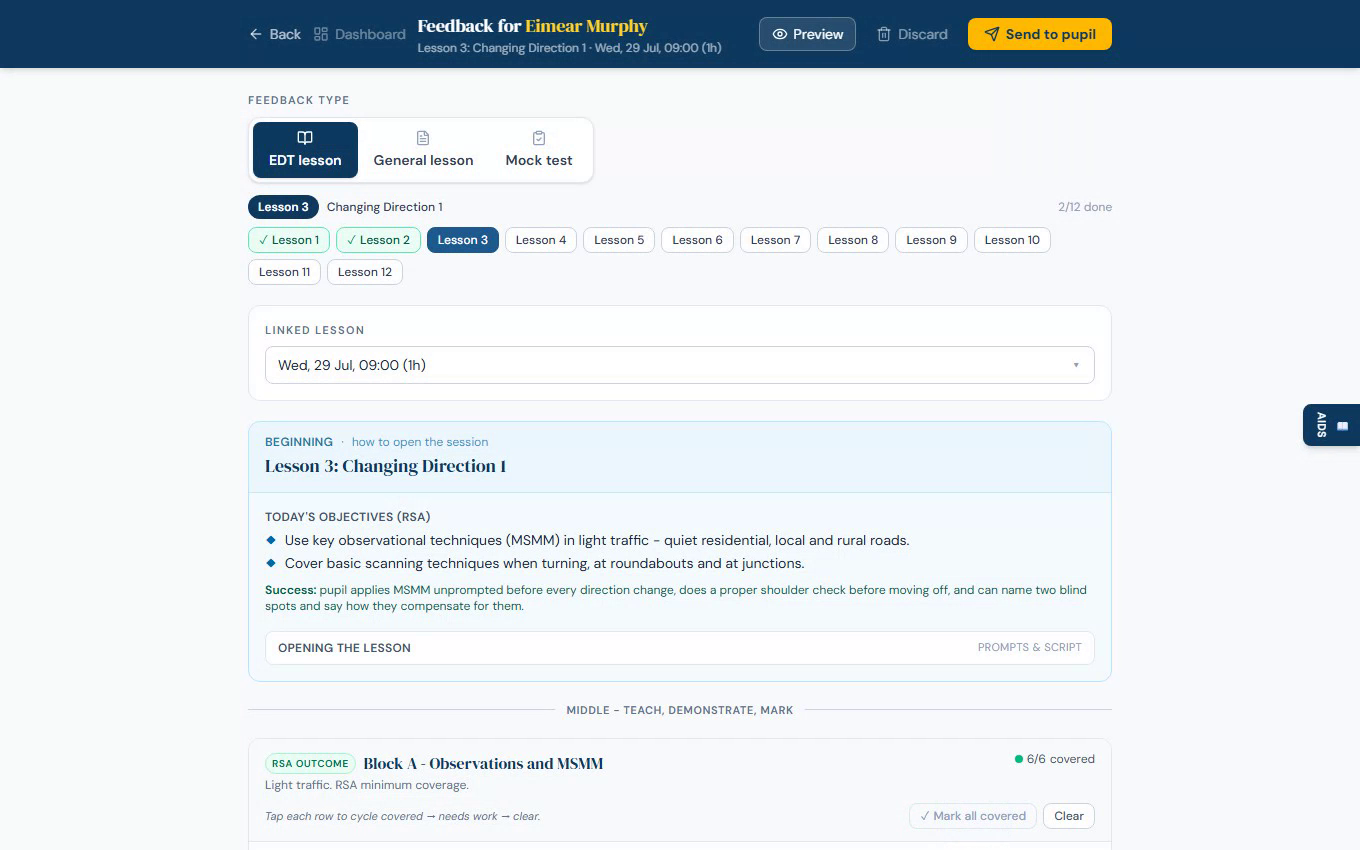
Add notes and tag topics as you teach - every student's history builds up in one place, so you always know exactly where you left off. When the session ends, your notes are already done. Publish to the student's app in one tap, or keep it as a private record.
- Notes and topics build up as you go - nothing to write up after
- Every student's progress in one place - see exactly where you left off
- Publish to the student's app in one tap, or keep it private
Mock test
Student view
Teaching aids
Everything for the lesson.
No folder needed.
Teaching resources for the session are one tap away, grouped by topic so the right ones appear first. Flip to the pupil view and put it on the screen instead of reaching for a book.
Running a mock test? Switch tabs and mark exactly as the RSA test works. The pass/fail verdict updates live as you go, and one tap sends a structured write-up to the student.
- Resources grouped by session topic - the right ones appear first
- Instructor and pupil views built in
- RSA-style mock test marking, built in
- Live verdict as you mark
- Send feedback to the student in one tap
Your car is your office.
RoadLy runs on any phone or tablet - dashboard, schedule, session sheet, student list, payments. Everything works on a small screen, between lessons and during them. No desktop required, nothing to install.
Everything else you need
Automated reminders
Students get an email reminder before each lesson. Fewer no-shows, and you stop spending time chasing people yourself.
Cancellation policy
A 48-hour cancellation window is applied automatically. Cancel inside that window and you keep the full lesson fee - last-minute gaps don't disappear from your earnings.
Availability management
Block off times you're not working and set a minimum gap between lessons. Students can only book your genuinely available slots - no accidental double-bookings.
Pick-up area
Set your main service area by Eircode. Add an extended area for locations a bit further out, with an automatic surcharge applied to those bookings.
Student profiles
Every student has a profile showing their lesson history, EDT progress, upcoming bookings, and the feedback you've sent them.
Works on any device
Same experience on phone, tablet, or laptop. No app to install - it runs in your browser like any other website.
Set up in about 10 minutes
Here's exactly what happens when you sign up.
- 1
Create your account
Sign up with your email and add your ADI number. Fill in your profile - name, rates, and the areas you cover.
- 2
Connect your bank account via Stripe
Stripe handles all payment processing. You connect your bank account through Stripe's onboarding - it takes a few minutes and only needs to happen once.
- 3
Customise your booking page
Add your brand colour, logo, and tagline. Write your about section and list the services you offer. Your booking page is ready.
- 4
Set your availability
Add the days and times you're available to teach. You can update these at any time.
- 5
Share your link and start teaching
Share your booking link anywhere - WhatsApp, Instagram, your website. Students book, and you get paid.